Best WordPress Page Builders in 2025: Complete Guide & Reviews
In the dynamic world of website creation, the ability to design visually stunning and highly functional pages without touching a single line of code is no longer a luxury, but a necessity. For WordPress users, page builder plugins have revolutionized this process, transforming complex design tasks into intuitive drag-and-drop experiences. As we move into 2025, the landscape of WordPress page builders continues to evolve, offering more power, flexibility, and user-friendliness than ever before. Whether you’re a seasoned web developer looking to streamline your workflow or a small business owner aiming to build a professional online presence, choosing the right page builder can significantly impact your website’s success.
This guide delves into the top WordPress page builder products available in 2025, providing an honest and practical analysis of their strengths, weaknesses, and ideal use cases. We understand that selecting the right tool can be a daunting task, given the sheer volume of options. That’s why we’ve meticulously reviewed and ranked five leading page builders, focusing on their real-world applications, how they solve common design challenges, and the practical benefits they offer to users of all skill levels. Our goal is to equip you with the knowledge to make an informed decision that aligns with your project’s specific needs and your creative vision for your website in 2025.
Top WordPress Page Builder Reviews: Expert Analysis
Navigating the vast ecosystem of WordPress plugins requires a keen eye for quality and utility. When it comes to page builders, the distinction between a good tool and a truly exceptional one lies in its ability to empower users, foster creativity, and deliver professional results efficiently. In 2025, the best page builders offer not just drag-and-drop interfaces but also a wealth of pre-designed elements, advanced styling options, and seamless integration with other essential WordPress functionalities. We’ve assessed these plugins based on their ease of use, feature set, flexibility, performance impact, and overall value for money, ensuring our recommendations are practical and actionable for anyone looking to build or enhance their website.
1. Themify Builder WordPress Plugin
The Themify Builder stands out as a remarkably versatile and user-friendly drag-and-drop page builder that comes bundled with all Themify themes, but can also be purchased as a standalone plugin. Its strength lies in its robust feature set, offering a comprehensive array of elements, layouts, and styling options that cater to both beginners and advanced users. The builder is known for its clean interface, making it easy to grasp and navigate, even for those new to website design. It provides a live editing experience, allowing you to see changes in real-time as you build your pages, which significantly speeds up the design process and reduces guesswork.
One of the key advantages of Themify Builder is its extensibility. It integrates seamlessly with the Themify ecosystem, allowing for a cohesive design experience if you’re using their themes. However, its standalone capabilities are equally impressive, offering a wide range of add-ons and integrations that enhance its functionality. For users who need to create complex layouts, Themify Builder excels with its row and column structure, offering granular control over spacing, alignment, and responsiveness. It’s an excellent choice for building anything from simple landing pages to intricate multi-column designs, making it a solid contender for many website projects in 2025.

2. WPMU Dashboard Widget Order
While not a traditional drag-and-drop page builder in the same vein as others, WPMU Dashboard Widget Order plays a crucial role in enhancing the user experience within the WordPress dashboard, which indirectly impacts the efficiency of page building workflows. This plugin allows administrators to easily reorder, show, or hide dashboard widgets, providing a cleaner and more personalized admin interface. For users who spend a significant amount of time managing their WordPress site, including creating and refining pages with a separate page builder, a well-organized dashboard can lead to greater productivity and a less cluttered workflow. Imagine having your most-used tools and key performance indicators front and center.
The practical benefit of WPMU Dashboard Widget Order, especially in a 2025 context where website management is increasingly streamlined, is its ability to tailor the WordPress admin area to your specific needs. If you frequently use a particular page builder and want quick access to its status or related information, you can prioritize those widgets. Conversely, if certain default widgets are irrelevant to your operations, you can hide them to reduce visual noise. This plugin addresses the common pain point of a cluttered and overwhelming WordPress dashboard, allowing users to focus on the core tasks of content creation and page design without unnecessary distractions.

3. PowerPack Beaver Builder Addon
PowerPack Beaver Builder Addon is a powerful extension designed to significantly enhance the capabilities of the already popular Beaver Builder page builder. For users who rely on Beaver Builder for their website design, PowerPack acts as a vital toolkit, introducing a vast array of new modules, templates, and advanced features that unlock even greater creative potential. This addon is particularly valuable for those looking to create highly customized and visually engaging websites without the need for custom coding. It expands the already impressive library of Beaver Builder elements, offering unique widgets for everything from advanced forms and pricing tables to social media feeds and countdown timers.
The practical applications of PowerPack are extensive. It addresses the common need for more specialized design elements that might not be natively available in a core page builder. For instance, if you need to build a sleek e-commerce product display, a dynamic testimonial slider, or an eye-catching call-to-action section, PowerPack provides ready-to-use modules that can be easily customized. The addon also includes a robust library of pre-designed page templates and section blocks, which can dramatically speed up the design process. Instead of building each element from scratch, users can import professional-looking designs and then tailor them to their brand, making website development in 2025 more efficient and effective.

4. Mega Main Menu – WordPress Menu Plugin
Mega Main Menu is a specialized WordPress plugin that focuses on transforming your website’s navigation into a powerful and visually appealing mega menu. While not a full-fledged page builder for entire pages, it’s an indispensable tool for designing complex and user-friendly navigation menus that are crucial for site usability and user experience. In 2025, with websites often featuring extensive content and intricate structures, a well-organized mega menu can make a significant difference in how visitors find information and interact with your site. This plugin allows you to create multi-column menus, incorporate icons, images, widgets, and even shortcodes directly into your navigation, offering a level of customization far beyond standard WordPress menus.
The practical benefits of Mega Main Menu are clear for any website that requires sophisticated navigation. For e-commerce sites, it can help categorize products effectively. For content-heavy blogs or news sites, it can organize topics and featured content. For service-based businesses, it can showcase different service categories with visual aids. The plugin addresses the pain point of unmanageable and uninspiring navigation bars by providing an intuitive interface for building visually rich menus. This not only improves user experience by making it easier to find what they’re looking for but also enhances the overall aesthetic appeal of your website, contributing to a more professional and engaging online presence.
5. Admin Columns Pro
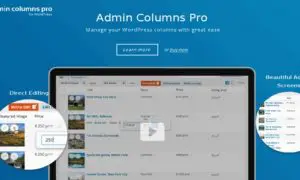
Admin Columns Pro is an essential plugin for anyone who manages a WordPress website, particularly those who deal with a large volume of content. While it doesn’t directly build pages, it profoundly impacts the efficiency of managing and organizing content within the WordPress admin area, which is where page builders are often used. This plugin allows you to customize the columns displayed in your post, page, and custom post type lists. You can add, remove, reorder, and even sort columns based on various data points, such as featured image, author, date, custom fields, and much more. This level of control over your admin interface is invaluable for streamlining content management workflows in 2025.
The practical problem Admin Columns Pro solves is the often-cluttered and limited default view of WordPress content lists. Imagine trying to quickly find posts based on a specific custom field you used for a page builder element, or needing to see all posts with a particular tag at a glance. Without Admin Columns Pro, this can be a tedious process of clicking into each post or relying on basic search functions. By enabling you to display relevant information directly in the list view, you can quickly sort, filter, and identify content, saving significant time and effort. This is especially beneficial for users who frequently update pages, manage large portfolios, or work with complex custom post types, making the entire content lifecycle more efficient.
Final Verdict: Best WordPress Page Builder Choices for 2025
As we conclude our review of these top WordPress plugins for 2025, it’s clear that each offers unique strengths that cater to different user needs and website goals. For pure drag-and-drop page building power and flexibility, Themify Builder WordPress Plugin remains a strong contender, offering a robust feature set that can accommodate a wide range of design requirements. Its ease of use combined with its extensive customization options makes it a go-to for many users looking to create professional-looking websites without coding.
When it comes to enhancing an already powerful page builder like Beaver Builder, PowerPack Beaver Builder Addon is an absolute game-changer. It significantly expands the design possibilities, providing users with a wealth of new modules and templates to create truly unique and engaging web pages. For those focused on optimizing their website’s navigation, Mega Main Menu – WordPress Menu Plugin is unparalleled, offering a sophisticated solution for creating user-friendly and visually appealing menus that enhance site usability. Furthermore, plugins like Admin Columns Pro and WPMU Dashboard Widget Order, while not direct page builders, are crucial for streamlining the overall WordPress management experience, indirectly boosting productivity for page creators.
Ultimately, the “best” WordPress page builder or related plugin for 2025 depends on your specific project needs, technical skill level, and budget. We recommend exploring the demos and free versions where available to get a hands-on feel for each product. By carefully considering the practical benefits and real-world applications discussed in this guide, you can confidently select the tools that will empower you to build exceptional websites in the year ahead.
These WordPress Plugins products represent the best options available in the market. Each has been carefully selected based on quality, features, and user reviews. Choose the one that best fits your needs and requirements.