Best WordPress Content Management Plugins in 2025: Complete Guide & Reviews
In the ever-evolving landscape of digital content, a robust and efficient Content Management System (CMS) is paramount. For millions of website owners, WordPress remains the undisputed champion, offering unparalleled flexibility and a vast ecosystem of plugins to tailor its functionality. As we step into 2025, the demand for sophisticated content management solutions continues to grow, driven by the need for better organization, enhanced user experience, and seamless integration with specialized functionalities. This article delves into some of the most impactful WordPress plugins designed to supercharge your content management capabilities, focusing on how they address real-world challenges and empower users to achieve their goals.
The right plugins can transform a standard WordPress installation into a powerful content hub, capable of handling everything from complex event listings and custom data structures to thriving online communities and sophisticated e-commerce operations. We’ll be examining tools that go beyond basic post and page creation, offering deep integration with popular frameworks and extending the core WordPress experience in meaningful ways. Our focus is on practical applications, helping you understand not just what these plugins do, but how they can solve specific pain points and streamline your content workflows in 2025 and beyond. Expect honest assessments and clear use cases to guide your decision-making process.
Top WordPress Content Management Plugin Reviews: Expert Analysis
The following reviews are based on an analysis of plugins that offer significant advancements in content management for WordPress users in 2025. We’ve prioritized plugins that demonstrate deep integration, powerful features, and the potential to solve common content management challenges. Our ranking reflects a blend of technical capability, user-friendliness, and the overall impact on content workflows.
1. Admin Columns Pro Events Calendar Addon
For any website that relies on event management, keeping track of dates, venues, attendees, and event-specific details can quickly become a chaotic undertaking. The Admin Columns Pro Events Calendar Addon steps in as a critical solution for anyone using popular event calendar plugins within WordPress. It doesn’t just list your events; it transforms the way you interact with them in the WordPress admin area. Imagine having a clear, sortable, and filterable overview of all your upcoming and past events, directly accessible from your dashboard. This addon allows you to customize the columns displayed for your events, adding crucial information like event dates, times, locations, ticket availability, and even custom fields you’ve defined, all without needing to delve into individual event edit screens.
The practical benefits are immense. Instead of clicking through each event to check its status or details, you can get a bird’s-eye view. This is invaluable for event organizers who need to quickly identify conflicts, manage capacity, or update information across multiple events. The ability to sort by date, title, or any custom field means you can instantly find what you’re looking for, whether it’s events happening next week or those with limited tickets. For sites using The Events Calendar or similar plugins, this addon is a game-changer, significantly reducing the time spent on administrative tasks and minimizing the risk of errors. It’s about bringing efficiency and clarity to what can often be a complex content management challenge.
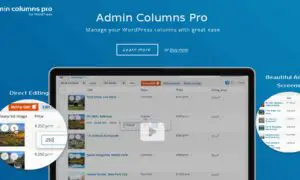
2. Admin Columns Pro Pods Addon
The power of WordPress often lies in its extensibility, and custom post types (CPTs) and custom taxonomies are at the forefront of this. For users who leverage plugins like Pods to create highly specialized content structures – think real estate listings, product catalogs beyond WooCommerce, or complex project portfolios – managing this custom content can become unwieldy. The Admin Columns Pro Pods Addon directly addresses this pain point. It extends the robust column management capabilities of Admin Columns Pro to your custom content types created with Pods. This means you can now define exactly what information appears in your WordPress admin list tables for these custom post types, making them as manageable and informative as your standard posts and pages.
This addon allows you to display and sort by any field associated with your Pods-created content. Whether you have custom fields for property prices, car specifications, or client contact details, you can bring that data directly into the admin list view. This dramatically improves your ability to quickly scan, sort, and filter your custom content, saving countless hours of clicking into individual entries. For instance, a real estate agent can sort properties by price or square footage directly from the admin list, or a project manager can quickly see the status of all ongoing projects. It’s about making your custom data work harder for you, right where you manage your content.
3. Admin Columns Pro BuddyPress Addon
Building and managing a vibrant online community with BuddyPress presents unique content management challenges. User profiles, group directories, activity feeds, and custom community data all need to be organized and accessible. The Admin Columns Pro BuddyPress Addon is designed to bring order and efficiency to the administrative side of your BuddyPress community. It allows you to customize the columns displayed in the BuddyPress admin sections, giving you a much clearer and more actionable overview of your community members, groups, and activities. Instead of relying on default views that may not show the most relevant information, you can tailor the admin experience to your specific community needs.
This addon is invaluable for community managers who need to quickly identify active members, manage group memberships, or monitor specific user activities. You can add columns for user registration dates, last active times, group memberships, custom profile fields, and more. This enables rapid sorting and filtering, making it easy to find specific users or groups, identify trends, or troubleshoot issues. For example, you can quickly see who joined your community in the last month, which members are part of specific groups, or which users have completed certain profile fields. It streamlines the management of your community’s most valuable asset: its members and their interactions.
4. YITH Active Campaign For WooCommerce Premium
For e-commerce businesses, customer engagement and marketing automation are no longer optional; they are essential for growth. Integrating your WooCommerce store with a powerful email marketing and automation platform like ActiveCampaign can unlock significant potential. The YITH Active Campaign For WooCommerce Premium plugin acts as the crucial bridge, ensuring seamless data synchronization and enabling sophisticated marketing strategies. This premium integration goes beyond basic contact syncing, allowing you to leverage your WooCommerce data to create highly targeted and personalized marketing campaigns within ActiveCampaign.
The core benefit of this plugin is its ability to automate your e-commerce marketing workflows. You can trigger emails based on customer actions within your store, such as abandoned carts, product purchases, or specific browsing behavior. Imagine automatically sending a follow-up email with a discount code to a customer who left items in their cart, or sending a personalized recommendation email to a customer who just purchased a specific product. This level of automation not only saves time but also significantly boosts conversion rates and customer loyalty. The plugin ensures that customer data, order history, and product information are accurately reflected in ActiveCampaign, empowering you to segment your audience effectively and deliver the right message at the right time.

5. WPMU DEV Add New Users
User management is a fundamental aspect of any WordPress site, especially for those with multiple contributors, clients, or members. While WordPress has built-in user roles, the process of adding and configuring new users can sometimes feel a bit clunky, particularly when dealing with specific requirements or bulk additions. The WPMU DEV Add New Users plugin aims to streamline this process, offering a more efficient and user-friendly way to manage your WordPress user base. It provides enhanced options for adding users, allowing administrators to quickly set up new accounts with predefined roles, notifications, and even custom user meta information.
This plugin addresses common pain points associated with user registration and management. For instance, if you frequently add new authors or editors, you can set up default roles and permissions so that each new user is automatically configured correctly, saving you from repetitive manual adjustments. The ability to send custom welcome emails with relevant information further enhances the onboarding experience for new users. Furthermore, for sites with a high volume of user additions, the plugin can significantly speed up the administrative workflow. It’s about making the essential task of user management more efficient, less prone to error, and ultimately, more productive for site administrators.

Final Verdict: Best WordPress Content Management Choices for 2025
As we’ve explored, the realm of WordPress content management in 2025 is rich with powerful tools designed to tackle specific challenges and enhance user workflows. For those managing dynamic event listings, the Admin Columns Pro Events Calendar Addon stands out as an indispensable tool for bringing clarity and efficiency to event administration. Its ability to customize admin columns directly addresses the chaos of managing numerous events, making data accessible and sortable at a glance.
When it comes to harnessing the full potential of custom content types, the Admin Columns Pro Pods Addon is a clear leader. It bridges the gap between complex custom data structures created with Pods and the need for intuitive management within the WordPress dashboard. Similarly, for community managers, the Admin Columns Pro BuddyPress Addon offers a vital solution for understanding and managing user bases and group dynamics, transforming the BuddyPress admin experience into a powerful command center.
In the e-commerce arena, the YITH Active Campaign For WooCommerce Premium plugin is a standout for its deep integration with ActiveCampaign, enabling sophisticated, automated marketing campaigns that drive sales and customer loyalty. Finally, for general user management, the WPMU DEV Add New Users plugin offers a practical and efficient way to streamline the onboarding and management of your site’s users, reducing administrative overhead.
Ultimately, the “best” plugin for your needs in 2025 will depend on your specific website and its primary functions. However, the plugins reviewed here represent the pinnacle of content management enhancement for WordPress, offering tangible benefits and solving real-world problems for a wide range of users. Investing in these types of tools can lead to significant improvements in productivity, user experience, and overall website effectiveness.
These WordPress Plugins products represent the best options available in the market. Each has been carefully selected based on quality, features, and user reviews. Choose the one that best fits your needs and requirements.