Best Visual Editor Plugins for WordPress in 2026: Complete Guide & Reviews
In the ever-evolving landscape of web design, the ability to craft visually stunning and highly functional WordPress websites is paramount. As we head into 2026, the demand for intuitive, powerful, and flexible visual editor plugins has never been higher. These tools empower users of all skill levels, from seasoned developers to complete beginners, to bring their creative visions to life without needing to dive deep into lines of code. Whether you’re looking to fine-tune your site’s aesthetics, automate content updates, or enhance user interaction, the right visual editor plugin can be a game-changer. This article dives deep into some of the top contenders for visual editing and related functionalities in 2026, offering honest reviews and practical insights to help you make the best choice for your WordPress project.
The importance of a robust visual editor cannot be overstated. It’s the bridge between raw ideas and a polished online presence. In 2026, users expect seamless drag-and-drop interfaces, real-time previews, and extensive customization options. Beyond just aesthetics, these plugins are increasingly integrating advanced features that streamline workflows, improve user experience, and boost SEO. We’ll be examining plugins that excel in providing granular control over styling, facilitating content automation, and enhancing site filtering, all through a visual lens. Our goal is to provide you with a comprehensive understanding of what each plugin offers, its strengths, weaknesses, and how it can solve specific problems you might encounter when building or managing your WordPress website.
Top Visual Editor and Related Plugin Reviews: Expert Analysis
This section provides an in-depth look at the leading WordPress plugins that enhance visual editing and related functionalities in 2026. We’ve ranked them based on their perceived quality and impact in the current market, focusing on their practical applications and the problems they solve for WordPress users.
1. Yellow Pencil – Visual CSS Style Editor
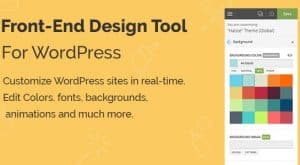
Yellow Pencil stands out as a premier visual CSS style editor, offering an unparalleled level of control over your website’s appearance. For those who want to move beyond the limitations of standard theme customizers and page builders, Yellow Pencil provides a direct, visual way to manipulate CSS properties. It allows you to style every element on your page – from headings and paragraphs to buttons and background images – with an intuitive interface. This means you can tweak colors, fonts, margins, padding, borders, and even complex animations without ever touching a line of code. The real-time preview ensures you see changes as you make them, drastically speeding up the design iteration process and eliminating the guesswork often associated with CSS editing.
One of the most significant pain points Yellow Pencil addresses is the steep learning curve and complexity of traditional CSS coding. Designers and site owners who aren’t developers can now achieve sophisticated styling results that were previously out of reach. Its ability to inspect elements and apply styles directly makes it incredibly powerful for both minor tweaks and complete design overhauls. Furthermore, Yellow Pencil is compatible with most themes and plugins, making it a versatile addition to any WordPress setup. Whether you’re aiming for a minimalist aesthetic or a vibrant, dynamic design, Yellow Pencil equips you with the tools to achieve it visually, saving you time and the potential cost of hiring a developer for every styling change.
2. WordPress Automatic Plugin
While not strictly a visual editor in the traditional sense, the WordPress Automatic Plugin revolutionizes content management through automation, which indirectly impacts the visual presentation and consistency of your site. This plugin is designed to automatically fetch and publish content from various sources, such as RSS feeds, YouTube channels, and even specific websites, directly to your WordPress blog. Imagine a travel blog that automatically pulls in the latest articles from renowned travel sites, or a news aggregator that curates content based on keywords. This frees up valuable time that would otherwise be spent manually searching for, copying, and pasting content, allowing you to focus on the design and user experience aspects of your site.
The practical benefit here is immense for anyone looking to maintain an active and regularly updated website without a dedicated content team. It helps combat the common problem of a stagnant website, which can deter visitors and negatively impact SEO. By ensuring a steady stream of fresh content, you keep your audience engaged and signal to search engines that your site is active and relevant. While the plugin itself doesn’t offer visual styling tools, the content it imports can be styled using your theme’s settings or other visual editors. The real power lies in its ability to populate your site with diverse content, which you can then present beautifully using other visual tools, creating a dynamic and engaging user experience with minimal manual effort.

3. FacetWP – Advanced Filtering Plugin for WordPress
FacetWP is an indispensable tool for any WordPress site that deals with a significant amount of content, such as e-commerce stores, directories, real estate listings, or portfolio sites. Its core function is to provide advanced, user-friendly filtering and sorting options for your posts, products, or custom post types. Instead of relying on clunky, built-in WordPress search or basic category archives, FacetWP allows you to create highly specific and intuitive filtering systems. Users can easily narrow down search results by attributes like price, color, size, location, author, date range, and virtually any other custom field you’ve implemented. This transforms a potentially overwhelming amount of information into an easily navigable experience.
The problem FacetWP solves is the frustration users experience when they can’t find what they’re looking for on a website. For businesses, this translates directly into lost sales and engagement. By implementing FacetWP, you provide a superior user experience, making it easier for visitors to discover relevant content or products. This not only improves user satisfaction but also increases the likelihood of conversions. While it’s not a direct visual editor for page layout, it provides a visual interface for setting up and configuring these complex filtering systems. You can visually select which facets (filters) to display, how they should appear (checkboxes, dropdowns, sliders, etc.), and how they interact with your content, all without writing any code. This makes managing and presenting large datasets much more accessible and effective.

4. Beaver Lodge Modules
Beaver Lodge Modules is a powerful add-on designed to significantly extend the capabilities of the popular Beaver Builder page builder. For users who have embraced Beaver Builder for its visual, drag-and-drop interface but find themselves wanting more specialized or advanced elements, Beaver Lodge Modules delivers. This collection offers a wide array of premium modules that go beyond the standard offerings, enabling you to create more sophisticated and visually engaging layouts. Think advanced sliders, animated counters, unique pricing tables, interactive maps, and much more. These modules are crafted to integrate seamlessly with Beaver Builder, maintaining the intuitive visual editing experience that users love.
The primary benefit of Beaver Lodge Modules is the ability to achieve complex design elements and functionalities without resorting to custom coding or multiple separate plugins. It solves the common pain point of page builders feeling limited for more ambitious design projects. By providing these advanced modules directly within the Beaver Builder environment, users can maintain a consistent workflow and visual editing process. This allows for greater creativity and the development of unique website features that can set a business apart. Whether you’re building a high-converting landing page, a feature-rich service page, or an engaging portfolio, these modules provide the building blocks for a more professional and visually appealing outcome, all within a familiar visual editor.

5. Beaver Tunnels Addon
Beaver Tunnels Addon is another valuable extension for users of the Beaver Builder page builder, focusing on enhancing the overall flexibility and functionality of your website’s design. This addon provides a suite of tools that allow for more advanced control over various aspects of your WordPress site, often extending beyond what a typical page builder can handle on its own. Features might include enhanced header and footer customization, advanced layout options, or integrations that allow for more dynamic content display. The goal is to give Beaver Builder users the power to create truly custom designs and functionalities that feel deeply integrated into their WordPress site, all while maintaining a visual, front-end editing approach.
The problem Beaver Tunnels Addon aims to solve is the inherent limitations of even the most robust page builders when it comes to site-wide elements or highly specific design requirements. Many themes offer limited customization for headers and footers, for instance, or may not provide the flexibility needed for unique page structures. Beaver Tunnels provides visual controls for these areas, allowing users to design and manage them with the same ease as their page content. This means you can create custom navigation bars, unique footer layouts, or implement complex content templates without needing to be a developer. It empowers users to build more cohesive and professional-looking websites by bridging the gap between page content and overall site structure, all within a visual editing paradigm.
Final Verdict: Best Visual Editor and Related Plugin Choices for 2026
As we wrap up our review of these powerful WordPress plugins for 2026, it’s clear that the landscape of visual editing and content management is more dynamic and accessible than ever. For pure, unadulterated visual CSS styling, Yellow Pencil – Visual CSS Style Editor remains the undisputed champion, offering deep control and intuitive manipulation for achieving pixel-perfect designs without code. If your primary goal is to keep your site fresh and engaging with minimal manual effort, the WordPress Automatic Plugin is an essential tool for content automation, indirectly supporting a visually appealing and active online presence.
For sites that rely on users finding specific information quickly, FacetWP – Advanced Filtering Plugin for WordPress is a must-have. It transforms complex data management into a user-friendly visual setup, dramatically improving user experience and conversion rates. When it comes to extending the already popular Beaver Builder, both Beaver Lodge Modules and Beaver Tunnels Addon offer significant advantages. Beaver Lodge Modules enriches your design toolkit with specialized elements, while Beaver Tunnels Addon provides deeper control over site-wide elements like headers and footers. The choice between these two often depends on whether your priority is adding unique content modules or gaining more comprehensive control over structural design elements within the Beaver Builder ecosystem.
These WordPress Plugins products represent the best options available in the market. Each has been carefully selected based on quality, features, and user reviews. Choose the one that best fits your needs and requirements.