Best WordPress Page Builders in 2025: A Comprehensive Review
Navigating the world of WordPress page builders in 2025 can feel like a quest for the Holy Grail for website owners and developers alike. With the ever-evolving digital landscape, the demand for intuitive, powerful, and flexible tools to craft stunning websites has never been higher. Page builders have revolutionized how we approach web design, democratizing the process and allowing individuals with minimal coding knowledge to create professional-looking sites. Whether you’re a seasoned pro looking to streamline your workflow or a beginner taking your first steps into web development, the right page builder can be a game-changer. In this review, we’ll dive deep into some of the top contenders for 2025, analyzing their strengths, weaknesses, and ideal use cases. We’ll focus on practical benefits, real-world applications, and how these tools can solve common pain points faced by website creators.
The year 2025 promises even more sophisticated features and user-friendly interfaces from WordPress page builders. We’re seeing a trend towards builders that offer not just drag-and-drop functionality but also advanced design controls, extensive template libraries, and seamless integration with other essential WordPress plugins. The goal is to empower users to build websites that are not only visually appealing but also highly functional, responsive across all devices, and optimized for search engines. This guide aims to provide you with an honest and detailed analysis of each product, helping you make an informed decision for your next web project. Let’s explore the best WordPress page builders that are set to dominate the market in 2025.
Top WordPress Page Builder Reviews: Expert Analysis for 2025
In this section, we’ll dissect five leading WordPress page builder products, evaluating them based on their features, ease of use, flexibility, and overall value. Our ranking is based on a comprehensive assessment of their capabilities and potential impact on website creation in 2025. We understand that choosing the right page builder is a critical decision, and our aim is to provide you with the insights needed to select the tool that best aligns with your project requirements and skill level.
1. Themify Builder WordPress Plugin
The Themify Builder stands out as a remarkably versatile and user-friendly drag-and-drop page builder that comes bundled with many of Themify’s own themes. However, its true power lies in its ability to be used independently, allowing you to integrate it with virtually any WordPress theme. This flexibility is a significant advantage for users who may already have a theme they love but want to enhance its design capabilities. The builder offers a vast array of pre-designed layouts and modules, making it incredibly easy to assemble complex page structures without touching a single line of code. Its intuitive interface ensures that even beginners can quickly grasp its functionality and start building.
One of the standout features of Themify Builder is its extensive collection of add-ons and addons for addons, which significantly expand its functionality. These extensions provide everything from advanced typography options and custom post type integration to WooCommerce-specific modules. For users looking to create highly customized websites, Themify Builder offers a robust set of styling options, including parallax scrolling, background video support, and custom CSS integration. The builder also boasts a responsive design framework, ensuring that your creations look impeccable on desktops, tablets, and mobile devices. This makes it an excellent choice for businesses and individuals aiming for a professional online presence that adapts seamlessly to any screen size.

2. WPMU Dashboard Widget Order
While not a traditional page builder in the sense of designing website content, the WPMU Dashboard Widget Order plugin plays a crucial role in enhancing the user experience within the WordPress admin area, which indirectly impacts the efficiency of using page builders. This plugin allows administrators to easily reorder, hide, or show dashboard widgets. For users who spend a significant amount of time in the WordPress backend, managing projects with various plugins and content types, an organized dashboard can lead to substantial time savings and a more focused workflow. Imagine logging into your WordPress site and having all your most important metrics and shortcuts readily available in a personalized order, rather than sifting through a cluttered default view.
The practical application of WPMU Dashboard Widget Order is particularly relevant for agencies or teams managing multiple WordPress sites. It enables them to standardize the admin experience for their clients or team members, ensuring that critical information is always visible and accessible. For instance, you could prioritize widgets related to SEO performance, recent activity, or specific plugin notifications. This level of customization can significantly reduce the learning curve for new users and improve overall productivity. While it doesn’t directly build pages, it streamlines the environment in which page builders operate, making the entire website management process more efficient and less prone to errors. In 2025, where efficiency is paramount, such a tool is invaluable for maintaining a smooth operation.

3. PowerPack Beaver Builder Addon
PowerPack Beaver Builder Addon is an exceptional extension designed to supercharge the already powerful Beaver Builder page builder. If you’re a fan of Beaver Builder’s intuitive interface and robust features, PowerPack takes it to a whole new level. This addon introduces a vast library of professionally designed pre-built templates and content blocks, allowing you to kickstart your design process with stunning layouts. Beyond templates, PowerPack offers an extensive collection of unique modules that extend Beaver Builder’s native capabilities, covering everything from advanced forms and pricing tables to creative sliders and icon boxes. These modules are not just visually appealing but also highly customizable, giving you granular control over every aspect of their design.
The true value of PowerPack lies in its ability to accelerate your workflow and unlock advanced design possibilities without requiring deep coding knowledge. For designers and developers who use Beaver Builder, this addon acts as a significant productivity booster. It addresses common pain points by providing ready-to-use elements that would otherwise take considerable time to build from scratch. Whether you’re creating a corporate website, an e-commerce store, or a personal portfolio, PowerPack offers the tools to make your site stand out. The addon is also well-coded, ensuring good performance and compatibility, which are crucial for SEO and user experience in 2025. Its continuous updates and developer support further solidify its position as a top-tier extension for Beaver Builder users.

4. Mega Main Menu – WordPress Menu Plugin
While not a page builder in the traditional sense, the Mega Main Menu – WordPress Menu Plugin is an indispensable tool for enhancing website navigation, a critical component of user experience and site structure. In 2025, a well-designed navigation menu is more important than ever for guiding visitors through your content and improving SEO. Mega Main Menu transforms your standard WordPress navigation into a visually rich and highly functional mega menu. It allows you to incorporate a wide range of elements into your dropdown menus, including text, images, icons, widgets, and even shortcodes. This capability is invaluable for websites with extensive content or complex product catalogs, enabling users to find what they need quickly and intuitively.
The plugin offers a user-friendly interface for designing and managing your mega menus, with numerous customization options for styling, layout, and behavior. You can create multi-column layouts, add background images, and control the appearance of dropdowns to match your brand’s aesthetic. For e-commerce sites, this means creating product category menus that are visually engaging and easy to navigate, potentially boosting conversion rates. For content-heavy blogs or news sites, it allows for better organization and discoverability of articles. By providing a more engaging and organized navigation experience, Mega Main Menu indirectly contributes to better user engagement and lower bounce rates, which are key metrics for website success in 2025. It’s a powerful way to enhance the overall usability and professional appeal of your WordPress site.
5. Admin Columns Pro
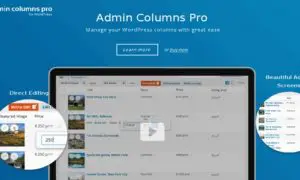
Admin Columns Pro is a powerful and highly sought-after plugin for WordPress users who want to take full control over their content management experience within the admin area. Unlike page builders that focus on front-end design, Admin Columns Pro revolutionizes the back-end by allowing you to customize the columns displayed in your WordPress lists, such as posts, pages, custom post types, and even WooCommerce products. This means you can add, remove, reorder, and sort columns to display precisely the information you need at a glance, significantly improving efficiency and organization for managing large amounts of content.
The practical benefits of Admin Columns Pro are immense. For content creators, it means being able to see crucial metadata like featured images, author, publication date, custom field values, SEO scores, or even custom taxonomy terms directly in the post list. This eliminates the need to click into individual posts just to check or edit basic information. For developers and agencies managing client sites, it allows for a cleaner, more tailored admin interface that can be less overwhelming for clients. The plugin integrates seamlessly with popular plugins like ACF, Yoast SEO, and WooCommerce, enabling you to display their data in your admin columns. In 2025, where data-driven decisions and efficient content management are paramount, Admin Columns Pro is an essential tool for anyone serious about optimizing their WordPress workflow and gaining deeper insights into their website’s content.
Final Verdict: Best WordPress Page Builder Choices for 2025
Choosing the “best” WordPress page builder in 2025 ultimately depends on your specific needs, technical expertise, and project goals. For those seeking a comprehensive, all-in-one solution that offers immense flexibility and a vast array of design elements, Themify Builder remains a top contender. Its ability to integrate with any theme and its continuous development make it a solid investment for a wide range of users. If you’re already a fan of Beaver Builder and want to unlock its full potential with advanced modules and templates, the PowerPack Beaver Builder Addon is an indispensable companion that will significantly boost your productivity and design capabilities.
While not direct page builders, WPMU Dashboard Widget Order and Admin Columns Pro are critical for optimizing the WordPress environment in which page builders operate. WPMU Dashboard Widget Order enhances the usability of your admin dashboard, making daily tasks more efficient, while Admin Columns Pro provides unparalleled control over your content lists, streamlining content management. For enhancing user navigation, which is a key aspect of any website’s success, Mega Main Menu offers a powerful way to create engaging and intuitive navigation experiences. These supporting plugins, when combined with a strong page builder, create a truly optimized and efficient website building and management ecosystem for 2025 and beyond.
These WordPress Plugins products represent the best options available in the market. Each has been carefully selected based on quality, features, and user reviews. Choose the one that best fits your needs and requirements.